

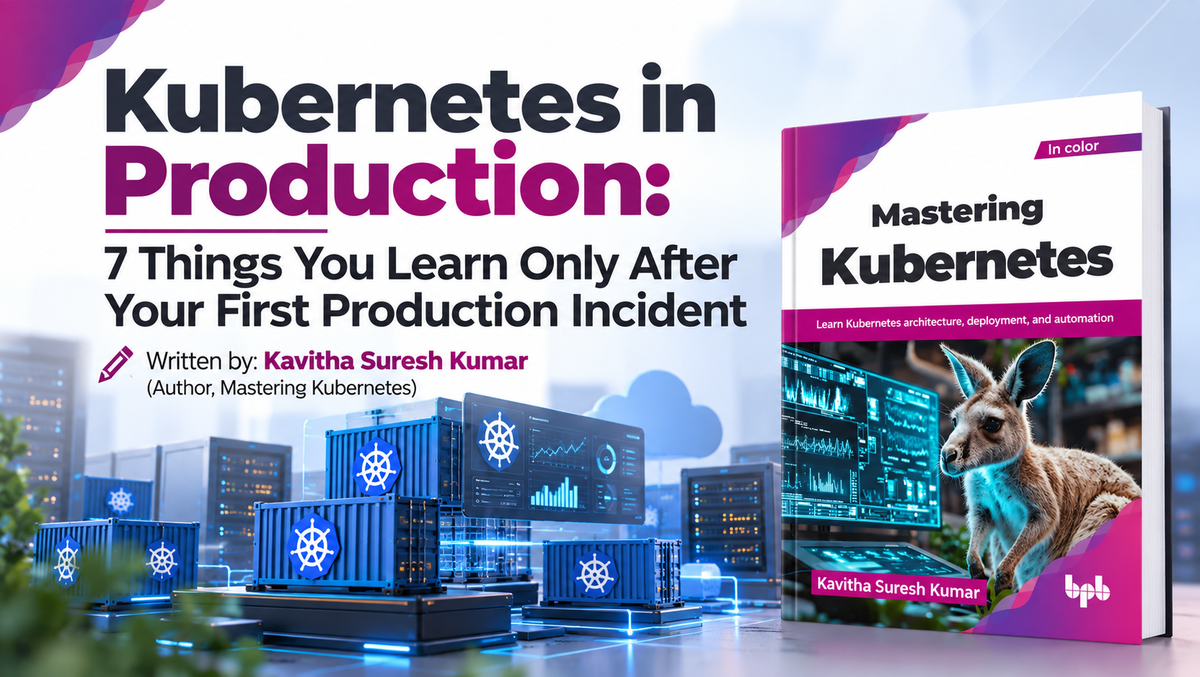
Kubernetes in Production: 7 Things You Learn Only After Your First Production Incident
By: Kavitha Suresh kumar
(Author, Mastering Kubernetes )
Your application works perfectly on your laptop. You package it into a container, deploy it to Kubernetes, and everything looks good. The application responds to requests, the pods are healthy, and the dashboard looks green. Then production happens. Traffic suddenly increases. A pod consumes too much memory. A node fails. Users complain about slow response times even though Kubernetes reports that everything is healthy. A security scan discovers vulnerabilities in a container image. The question is no longer “Is my application running?” It becomes: “Is my application reliable, secure, observable, and scalable?” This is where Kubernetes becomes much more than a container orchestration platform.
From Containers to Kubernetes
Containers provide a consistent way to package applications and their dependencies. But running containers at scale introduces new challenges.
Who restarts a failed container? How are workloads distributed across machines? How are applications exposed to users? What happens when a node fails? How do applications scale when traffic increases?
Kubernetes addresses these challenges using a declarative model. You describe the desired state – for example, three replicas of an application, a specific container image, resource requirements, and a Service. Kubernetes controllers then work continuously to make the actual environment match the desired state. This declarative model is one of Kubernetes most powerful ideas.
This is powerful, but production environments require engineers to understand what happens when reality differs from the desired state.
When Failures Become Normal
Consider an application with three replicas. If one pod fails, Kubernetes can create another. But if all three replicas run on the same worker node, losing that node could make the entire application unavailable.

So replicas alone don't guarantee high availability. Production applications require appropriate scheduling rules, resource requests and limits, health probes, disruption policies, and distribution across nodes or failure domains. The same principle applies to storage. A stateless application can often be recreated easily, while a stateful application may depend on persistent storage, backups, and recovery procedures. Kubernetes provides the building blocks, but application architecture still determines the overall system's resilience.
When “Healthy” Does Not Mean “Working”
One of the most important lessons in production Kubernetes is that a running pod does not necessarily mean a healthy application.

An application could return HTTP 500 errors, experience high latency, or wait for an unavailable database while every pod remains running. This is why observability is essential. Metrics help identify resource usage and performance trends. Logs provide information about application and infrastructure events. Distributed traces show where time is spent across multiple services. Suppose application latency suddenly increases. Metrics may show normal CPU utilization. A trace could reveal that the application is waiting for another service, which is waiting for a database. Without observability, engineers often investigate symptoms instead of causes. The real question is therefore not: “Is the pod running” It is:
“Is the application delivering the expected service?”
Security Must Be Part of the Lifecycle
Kubernetes environments often contain workloads belonging to many teams. Not every user should have access to every resource. Role-Based Access Control(RBAC) helps control permissions. Network policies can restrict communication between workloads, while secrets and workload configurations need appropriate protection. Security also extends beyond the cluster. Consider the application supply chain:
Source Code -> Build -> Container Image -> Registry -> Kubernetes ->Production
 A vulnerability introduced during development or the build process can eventually become a production vulnerability. Modern DevSecOps practices therefore integrate dependency analysis, container image scanning, security testing, and policy enforcement into CI/CD pipelines.
Security should not be a final checkpoint. It should be part of the entire software delivery lifecycle.
Automation and GitOps
Managing a few Kubernetes applications manually may be straightforward. Managing hundreds of applications across multiple clusters is very different. This is where GitOps can provide significant value. Kubernetes configuration can be stored in Git and treated as the desired state. Changes can go through code review, validation, security checks, and approval before being synchronized with the cluster.

This provides automation and traceability. Teams can see what changed, who made it, and when. If a deployment causes problems, you can restore the previous configuration. The declarative nature of Kubernetes makes it particularly well suited to this model.
Scaling is More Than Adding Pods
Scaling is another area where production Kubernetes becomes more interesting. Increasing the number of replicas is only one form of scaling. Individual workloads may require additional CPU or memory, while the cluster may need additional worker nodes. Autoscaling can respond to changing demand, but it depends on meaningful metrics and correctly configured resource requests. Poor resource configuration can lead to inefficient scheduling or unnecessary infrastructure costs. Effective scaling therefore requires balancing three objectives:
Performance, reliability, and cost.
From Cluster to Platform
As Kubernetes adoption grows, organizations often move from simply operating clusters to building a Kubernetes-based application platform. The questions become broader: How should applications be deployed? How should they be monitored? How should security policies be enforced? How should clusters be upgraded? How should workloads operate across multiple clouds?
At this stage, Kubernetes is no longer just infrastructure. It becomes part of the organization’s software delivery platform. The most valuable Kubernetes skill, then, is not memorizing commands. It is understanding what happens when a workload fails, scales, changes, or becomes unavailable.
Mastering Kubernetes
Kubernetes makes deploying containerized applications easier, but operating those applications successfully requires a much broader understanding of the platform. Production Kubernetes brings together workloads, networking, storage, security, observability, automation, scaling, resilience, governance, and multi-cluster operations. That is the journey explored in Mastering Kubernetes – from Kubernetes fundamentals and cluster setup to the technologies and practices required to operate Kubernetes in real-world environments. Whether you are a developer, a DevOps engineer, or an architect, the objective is the same:
Don’t just run containers. Master the platform that runs them.

%0AYour%20application%20works%20perfectly%20on%20your%20laptop.%20You%20package%20it%20into%20a%20container,%20deploy%20it%20to%20Kubernetes,%20and%20everything%20looks%20good.%20The%20ap...)
Leave a comment
This site is protected by hCaptcha and the hCaptcha Privacy Policy and Terms of Service apply.